
LightBurn Early Access Releases
In order to improve the quality and stability of official releases, we offer an Early Access period for upcoming releases.
Reporting Bugs
If you encounter a bug, please let us know by sending an email to BetaSupport@LightBurnSoftware.com, or by making a post in the latest Release Candidate thread on our support forum. Please include as much information as you can recall about what you were doing, so we can reproduce and fix the issue.
Using Early Access Releases
You can install LightBurn Early Access releases side-by-side with the full release version.
The standard licensing rules apply — you'll need to have a current license key to run these (or be in an active trial period).
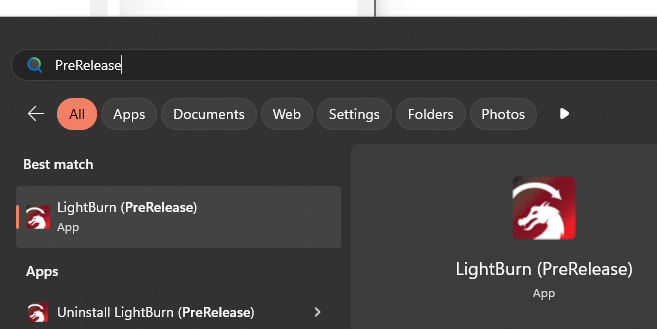
On Windows, all Early Access builds install to a directory with a _PreRelease suffix by default.
The application will also appear in your Start Menu as LightBurn (PreRelease)
On Mac, the app has the _PreRelease suffix added to its name.

Just as with the installation directory, the preferences are stored in a directory with a _PreRelease suffix. The first time installing a pre-release version of LightBurn, you'll be prompted to import the preferences from your full release install.
You can also use the User Bundles feature later on to transfer your existing release preferences to your pre-release instance of the software.